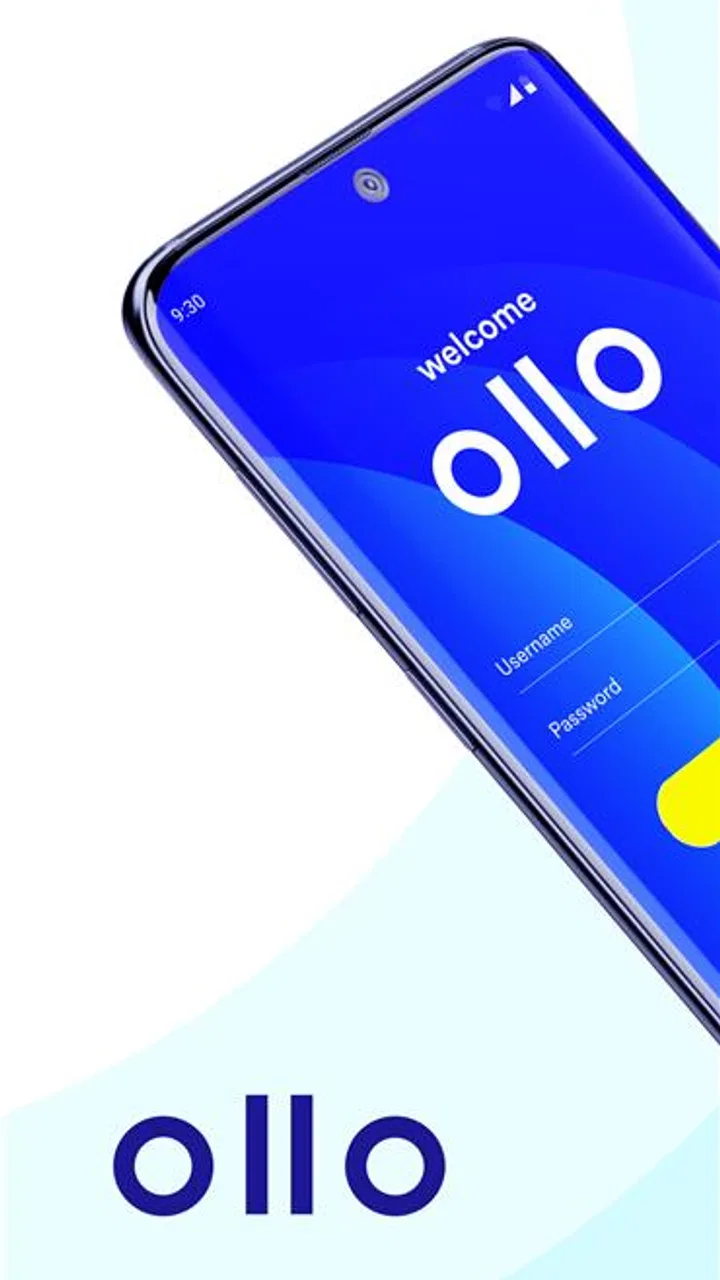
Ollo Credit Card Mobile App
- 3.7
- Rating
- 100.00K
- Installs
- Free
- Price

 Analysis by App-foxy
Managing a credit card from a phone sounds simple until the app makes routine tasks feel slow, confusing, or disconnected from the account itself. I spent time looking at Ollo Credit Card Mobile App from that practical angle: how useful it is when I want to check my card, stay aware of spending, and handle account tasks without reaching for a browser. It is a free finance app from Merrick Bank, built specifically around managing an Ollo credit card rather than acting as a general money-management hub.
That focus is both its main strength and its first important limitation. If you already use an Ollo card, a dedicated account app is a natural place to start. If you are searching for budgeting across several banks, investment tracking, bill organization, or a broad personal-finance dashboard, this is not the kind of tool I would choose. The right decision depends less on how many features an app appears to have and more on whether it fits the account you actually need to manage.
What I would look for before choosing it
I’d look beyond the convenience of installing a dedicated card app and ask whether it fits the routine I want to keep: checking the Ollo account, reviewing activity, and handling card-related tasks in one focused place. I’d also consider whether I prefer that separation or want a broader view of my finances in a single tool. That choice sets up the next question: what value is likely to remain after the first few visits?
You May Also Like

 Blood Strike: 2.5 Anniversary
Blood Strike’s Loadouts Turn Every Drop Into a Tactical Gamble
A close look at Blood Strike’s custom loadouts: how fast access to signature weapons reshapes its battle royale rhythm, rewards preparation, and narrows the gap between fights.

 Pandora - Music & Podcasts
Pandora’s Music Is Easy to Start, but Harder to Recover
Pandora’s strength is its low-effort path from a seed to a station. Its weak spot is how much confidence it asks you to place in connection, setup, and quiet recovery.

 8 Ball Pool
 Is Built on Rivalries, Rematches, and Routine
A close look at the rivalries, rematches, shared routines, and unanswered safety questions that turn a quick pool match into a persistent mobile community.

 Samsung Music
’s Quiet Strength Is Playing What You Already Own
Its reach comes less from spectacle than from dependable access to a personal library. That simplicity is both the app’s strongest retention engine and its ceiling.

 AccuWeather: Weather Radar
AccuWeather Review: A Quick, Clear Forecast for Everyday Decisions
For everyday plans, the best forecast is the one you can understand quickly. AccuWeather makes rain timing, radar, and local conditions easy to act on, with a few trade-offs.

 Hill Climb Racing
Why Hill Climb Racing Still Turns Crashes Into One More Run
A tiny car, a bumpy hill and one more upgrade: Hill Climb Racing keeps resurfacing because its simple chaos makes every near-miss feel personal.
More From Our News Desk
View All News


A focused companion for Ollo cardholders
The first question is straightforward: do you have an Ollo credit card? The app is not presented as a general-purpose wallet or a comparison service for finding cards. Its job is narrower and more useful for the right person: giving Ollo customers a mobile route into their card account. That makes the experience easier to judge because I do not expect it to replace every financial app on my phone.
For me, the most valuable test is whether the app reduces small points of friction. A card-management app should make it easier to check the account before a purchase, review activity after a transaction, and deal with routine card responsibilities when I am away from a computer. Those moments matter more than decorative extras. A finance app earns its place through dependable everyday access.
The app is listed for Everyone, which is appropriate for a financial utility intended for ordinary cardholders. It requires Android 6.0 or later, so compatibility is worth checking before installing it on an older device. The current version is 4.40.4, and the app was released on August 21, 2025. I would still keep the operating system updated where possible, especially for an app used to access financial information.
What the public response suggests
Ollo Credit Card Mobile App holds an average rating of 4.4 from around thirty-eight ratings, with about twenty written reviews. It has passed ten thousand installs, so it is not an unknown download, although it is also a much more specialized app than the huge financial platforms people may already know.
I would treat those figures as a useful signal rather than a guarantee. A small review pool can reflect a specific customer group, and people often judge a card app according to account issues, login experiences, or a particular update. My own decision would therefore rest on the app’s purpose first: it makes sense when the Ollo account is central, not simply because the rating looks reassuring.
The everyday scenario where it makes sense
Imagine I am about to pay for a larger household purchase and want to check my available card information before going to the checkout. Opening a dedicated Ollo app is more direct than opening a general banking app and searching through several accounts. Later, I can return to the same place to review the transaction and keep my card activity in view.
That kind of short, repeated interaction is where a specialized app can feel better than a browser. I do not need a full financial plan for that moment. I need a clear path to the account I already use. The benefit is not that the app transforms credit-card management; it is that it can make ordinary checking feel less like an administrative chore.
Three habits that make the app more useful
My first practical tip is to make account checking part of a routine rather than waiting until a problem appears. A quick review after regular shopping can help me notice whether a transaction looks familiar while the details are still fresh. This is especially useful for people who tend to rely on memory and only inspect their card activity when a statement arrives.
My second tip is to separate card management from budgeting. I would use this app to stay close to the Ollo account, but I would not expect it to replace a spending plan covering rent, cash purchases, savings, and cards from other providers. Keeping those roles clear prevents disappointment and makes it easier to identify which tool should answer a particular question.
My third tip is to use the app as the first stop for account-related tasks, while keeping a browser or another official route available as a fallback. That is not a criticism unique to this product; mobile apps can be affected by updates, device changes, or sign-in friction. Financial access is more comfortable when I have a backup path instead of assuming one interface will always be convenient.
Where this product wins over broader alternatives
The strongest advantage is focus. A general banking app may combine checking, savings, transfers, and several financial products, but that can also mean more navigation before I reach the card account I care about. A dedicated Ollo experience has a clearer purpose. For an Ollo customer who mainly wants card access, that narrower design can be easier to understand.
It also avoids a common problem with independent budgeting apps: the need to bring several financial relationships together before the information becomes useful. If my immediate concern is the Ollo card itself, I do not need a separate dashboard to tell me that the account belongs in my financial picture. The dedicated app starts closer to the action.
Another advantage is reduced mental switching. When I use a broad finance service, I may be tempted to review categories, accounts, and unrelated recommendations even when I only wanted to check card activity. A focused card app encourages a shorter visit. That can be a real benefit for someone who wants quick account awareness rather than a long financial review every time.
Where a different type of app may fit better
I would choose a broader personal-finance app for someone who wants one place to view cards from multiple issuers, track cash flow, or compare spending across accounts. Ollo Credit Card Mobile App is tied to the Ollo relationship, so it is not the natural choice for a household trying to coordinate several banks through one interface.
I would also look elsewhere for someone whose main goal is long-term budgeting. A card-management app can help me stay aware of one account, but a budget requires a wider view: income, recurring bills, savings targets, debt payments, and spending outside the card. A dedicated budgeting tool may be more suitable when the question is “Where did all my money go?” rather than “What is happening on my Ollo card?”
There is a similar distinction with a bank’s main mobile app. If I already manage everyday banking through one institution and want transfers, deposits, or a complete account overview, a full-service banking app may be more convenient. The Ollo app makes more sense when the card relationship is the center of the task and I prefer not to bury it inside a larger financial menu.
Limitations I would consider before installing
The narrow purpose can feel limiting if I expect a complete financial command center. I would not install this expecting investment tools, multi-bank planning, or a replacement for every card-related resource. Its value depends on having an Ollo account and wanting a mobile way to stay connected to it.
There is also a practical trade-off in maintaining a separate app for a single card. Some people prefer fewer apps and are happy using a mobile browser or a broader banking service. For them, the extra installation may not feel worthwhile unless they check the account regularly. I see the dedicated app as most useful for active cardholders, not for someone who rarely uses the account.
Security habits matter too. A finance app should be treated differently from a casual shopping or entertainment download. I would protect the phone with a screen lock, avoid signing in on shared devices, and review the account through a trusted connection. Those steps are part of using any mobile card service responsibly; the app cannot make careless device habits safe.
What switching to the app is really like
The cost of switching is mostly behavioral rather than financial because the app is free. I would need to install it, sign in, become familiar with its layout, and decide whether it is more convenient than the route I currently use. If I already rely on a browser bookmark, the improvement may be modest. If I repeatedly postpone checking the card because the existing process feels inconvenient, the dedicated app has more potential value.
I would not abandon an established budgeting system just because this app is available. Instead, I would give each tool a defined role: Ollo Credit Card Mobile App for the Ollo account, and a separate planner for the complete household picture. That approach avoids duplicating work and prevents the common mistake of treating a card view as a complete budget.
Before making it part of my routine, I would check that my phone meets the Android requirement, confirm that I can access my Ollo account, and decide which tasks I expect to handle from the app. A clear purpose makes the trial fair. Installing it without knowing what I want from it can lead me to judge it for jobs it was never meant to perform.
Who should use it, and who should skip it
I would recommend it to an Ollo cardholder who wants a direct mobile connection to the account and values quick, repeated checks. It is particularly sensible for someone who reviews card activity during the week, wants to keep account management separate from general budgeting, or finds browser-based access inconvenient on a phone.
I would be more cautious for a person who is choosing a financial app without an Ollo card, because the product’s usefulness is tied to that specific card relationship. I would also point a multi-bank household toward a broader solution if the priority is unified tracking. The app should not be judged as a universal finance platform when its appeal comes from being specialized.
For a family, I would think about roles and privacy before sharing devices or account access. A dedicated card app can make one account easier to reach, but that does not automatically make it the right shared household dashboard. Each person should understand whose account is being managed and which tool is responsible for the wider budget.
My recommendation after weighing the trade-offs
My recommendation is simple: choose it when direct Ollo card access is the problem you are trying to solve. The free price removes the financial barrier to trying it, and its focused purpose is more appealing to me than a crowded app that attempts to cover every area of personal finance. The rating and install history provide some reassurance that other users are engaging with it, while the Everyone age classification keeps its intended audience broad.
I would not call it a replacement for a budget planner, a multi-bank dashboard, or a full-service banking app. Those alternatives are better when my financial life extends well beyond one card. But if I use an Ollo card and want a straightforward mobile home for checking and managing that relationship, this is the kind of specialized tool I would keep installed.
In the end, the decision comes down to frequency and focus. If I check my Ollo account often, a dedicated app can save small amounts of time and make the habit easier to maintain. If I rarely access the card or already have a comfortable browser routine, the change may not be meaningful. For the right cardholder, though, Ollo Credit Card Mobile App earns its place by keeping one important financial task close at hand without pretending to be an entire money-management system.
FAQs for Ollo Credit Card Mobile App
01What features does the Ollo Credit Card Mobile App offer?
The Ollo Credit Card Mobile App provides a range of features designed for convenience and security. Users can view account balances, track recent transactions, make payments, and set up alerts for due dates and payment confirmations. Additionally, the app allows users to manage account settings and access customer support directly.
02Is the Ollo Credit Card Mobile App secure?
Yes, the Ollo Credit Card Mobile App employs advanced security measures to protect your information. The app uses encryption to safeguard data transmission and offers biometric login options, such as fingerprint and facial recognition, to ensure that only authorized users can access the account. Regular updates enhance security protocols.
03How do I set up my Ollo Credit Card Mobile App account?
To set up your account, download the Ollo Credit Card Mobile App from the App Store or Google Play. Open the app and follow the on-screen instructions to register. You will need your credit card details, personal information, and contact details to complete the registration process. Ensure you have a stable internet connection.
04Can I make payments through the Ollo Credit Card Mobile App?
Yes, the Ollo Credit Card Mobile App allows you to make payments quickly and easily. Simply navigate to the payment section of the app, enter the amount you wish to pay, and choose your preferred payment method. You can also set up automatic payments to avoid missing due dates.
05What should I do if I encounter issues with the Ollo Credit Card Mobile App?
If you experience any issues with the app, first ensure that your device and app are updated to the latest versions. Try restarting your device or reinstalling the app. If problems persist, contact Ollo customer support through the app or their website for further assistance. They offer support for technical and account-related queries.
Pros
- User-friendly interface design.
- Quick and easy bill payments.
- Real-time transaction alerts.
- Secure login with biometrics.
- Access to FICO score updates.
Cons
- Limited customer support options.
- No option for custom categories.
- Occasional app crashes reported.
- Lacks budgeting tools.
- No rewards tracking feature.

Ollo Credit Card Mobile App
Gallery